
Changing your web hosting provider does not have to be complicated. Whether your current hosting is slow, expensive, unreliable, difficult to manage, or no longer meets your website’s needs, moving your website to a new host can improve your website management experience.
For Kenyan businesses, organizations, bloggers, developers, and entrepreneurs, choosing the right hosting company is an important part of maintaining a reliable online presence.
If you are planning to move your website to a new host in Kenya, this guide explains the process, what you need to prepare, common mistakes to avoid, and how to make the migration as smooth as possible.
Why Move Your Website to a New Hosting Provider?
There are several reasons why a website owner may decide to change hosting companies.
1. Your Current Hosting Is Too Slow
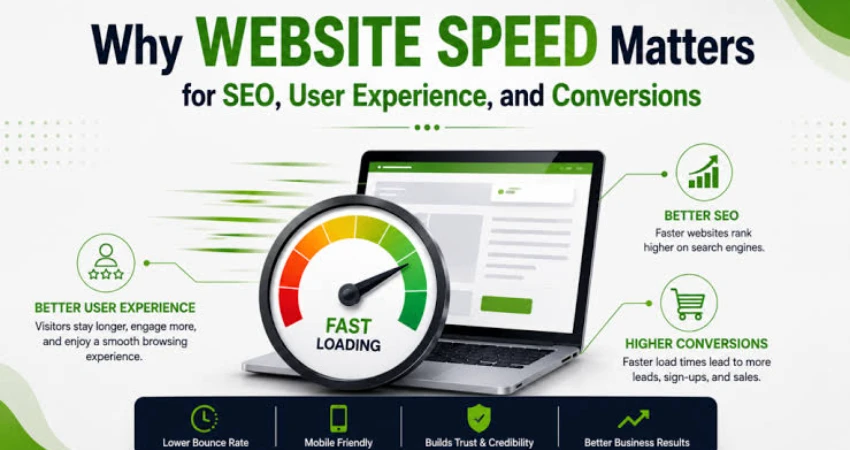
Website speed affects user experience. If your website regularly takes too long to load, visitors may leave before viewing your content or products.
Moving to a better hosting environment can be one part of improving website performance.
2. You Need Better Hosting Features
Your website may have grown since you first purchased hosting.
For example, you may now need:
- More storage
- More email accounts
- Better website management tools
- Improved security features
- WordPress-friendly hosting
- Better resource allocation
- Easier backups
- Better technical support
If your existing package no longer meets your requirements, upgrading or changing providers may make sense.
3. Your Hosting Costs Are Too High
Businesses should regularly review their technology expenses.
If you are paying for hosting features you do not need—or paying significantly more as your website grows—it may be worth comparing other hosting packages in Kenya.
4. Poor Customer Support
When something goes wrong with your website, getting assistance quickly matters.
Poor communication or slow technical support can become frustrating, particularly for businesses that depend on their websites and professional email.
5. You Want a Better Control Panel
A hosting control panel makes it easier to manage websites, domains, email accounts, databases, files and other hosting functions.
A provider offering a familiar and user-friendly control panel can make website administration easier.
What Is Website Migration?
Website migration is the process of moving your website from one hosting server or provider to another.
Depending on your website, the migration may involve moving:
- Website files
- Databases
- Images
- Documents
- Email accounts
- Website configurations
- DNS settings
- SSL configuration
The exact process depends on how your website was built and how your current and new hosting environments are configured.
What You Need Before Moving Your Website
Before starting a migration, gather the information you need.
1. Your Domain Name
Make sure you have access to the account or registrar managing your domain.
You may need to change DNS records after moving your website.
2. Current Hosting Access
You should have access to your existing hosting account.
Depending on your website, you may need:
- Hosting control panel access
- FTP/SFTP access
- Database credentials
- File manager access
- Email configuration information
3. A Backup of Your Website
Always create a complete backup before making major changes.
Ideally, keep a copy of:
- Website files
- Databases
- Important configuration files
- Email data where applicable
A backup gives you an additional safety net if something goes wrong during migration.
Step-by-Step: How to Move Your Website to a New Host in Kenya
Step 1: Choose Your New Hosting Provider
Start by choosing a hosting company that matches your website's requirements.
Consider:
- Hosting price
- Storage
- Performance
- Security
- Control panel
- Email hosting
- WordPress compatibility
- Customer support
- Scalability
- Backup options
- Domain services
For Kenyan website owners looking for hosting, Magna Host offers web hosting, email hosting, WordPress hosting and domain registration.
Step 2: Purchase Your New Hosting Package
Select a package that provides enough resources for your website.
For example, Magna Host currently offers:
- Starter Hosting – KSh 2,999/year
- Standard Hosting – KSh 5,999/year
- Executive Hosting – KSh 8,999/year
Choose the package according to your website's actual requirements rather than simply choosing the cheapest option.
Step 3: Set Up Your New Hosting Account
After purchasing hosting, access your new hosting control panel.
Magna Host uses DirectAdmin, which provides tools for managing website files, databases, email accounts, domains and other hosting functions.
At this stage, your website can be prepared on the new hosting account before changing your domain's DNS settings.
Step 4: Move Your Website Files
The next step is transferring your website files from the old hosting account to the new server.
For a simple website, this may involve downloading the files from the old server and uploading them to the new hosting account.
For larger websites, developers may use FTP, SFTP, command-line tools or other migration methods.
Make sure important files such as configuration files are transferred correctly.
Step 5: Move Your Database
If your website uses a database, the database must also be migrated.
This is particularly important for platforms such as WordPress and other database-driven websites.
The general process involves:
- Exporting the database from the old hosting account.
- Creating a database on the new hosting account.
- Importing the database.
- Creating or updating the required database user.
- Updating your website configuration with the new database details.
A website can have all its files transferred correctly but still fail to work if its database configuration is incorrect.
Step 6: Test the Website Before Changing DNS
Do not immediately point your domain to the new server without testing the website.
Check important areas such as:
- Homepage
- Contact pages
- Images
- Forms
- Login pages
- Shopping cart
- Checkout
- Blog posts
- Database functionality
- Mobile display
- Website links
If you run an ecommerce website, test the purchasing process carefully.
Step 7: Set Up Your Email Accounts
If your business uses professional email addresses such as:
make sure the required email accounts are configured correctly on the new hosting platform.
Email migration can require additional planning, particularly if you have a large amount of existing email data.
Do not assume that moving website files automatically moves your old emails.
Step 8: Update Your DNS Settings
Once the website has been successfully tested on the new hosting account, update your domain's DNS settings to point to the new hosting server.
This is the stage where visitors gradually begin reaching the new server.
DNS changes may take some time to propagate across different networks.
Step 9: Install or Verify SSL
Your website should use HTTPS.
After the domain begins pointing to the new server, verify that your SSL certificate is working correctly.
Open your website using HTTPS and check for browser security warnings.
Also test important pages to make sure images, scripts and other resources are loading securely.
Step 10: Monitor the Website After Migration
Do not immediately cancel your old hosting account.
Keep monitoring the new website first.
Check:
- Website availability
- Forms
- Login systems
- Database functionality
- Website speed
- SSL
- DNS
- Broken links
- Ecommerce transactions
Once you are satisfied that everything is working correctly, you can proceed with cancelling the old hosting account according to its provider's terms.
How Long Does Website Migration Take?
The migration time depends on the size and complexity of the website.
A small static website may be relatively straightforward to move.
A larger website with:
- A large database
- Thousands of files
- Ecommerce functionality
- Multiple email accounts
- Custom applications
- Complex DNS records
may require more preparation and testing.
The most important consideration is not simply completing the transfer quickly. It is completing the migration without disrupting your website and business operations.
How to Migrate a WordPress Website to a New Host
WordPress migration requires moving both the website files and database.
You should also check:
- WordPress version
- PHP compatibility
- Themes
- Plugins
- Database configuration
- Permalinks
- SSL
- Media files
- WordPress admin login
After migration, log into the WordPress dashboard and test the website from both desktop and mobile devices.
If your website uses plugins that store external API credentials or special server configurations, verify those integrations as well.
Common Website Migration Mistakes to Avoid
Cancelling the Old Hosting Too Early
One of the most common mistakes is cancelling the old hosting account immediately after purchasing the new one.
Keep the old hosting available until you have confirmed that the new website works correctly.
Forgetting the Database
Moving only website files is not enough for database-driven websites.
Always determine whether your website requires a database and make sure it is transferred correctly.
Forgetting Email
Your website and email are related to your domain but are not necessarily migrated in exactly the same way.
Make sure your business email requirements are included in your migration plan.
Not Testing Forms
A website may appear normal while its contact forms are not functioning.
Send test messages through every important form.
Ignoring Mobile Users
After migration, test the website on smartphones and tablets.
A website that works on your computer may still have problems on mobile devices.
Changing Too Many Things at Once
A migration is not always the best time to redesign the entire website, change URLs, replace plugins and modify other major components simultaneously.
Keeping the migration controlled makes troubleshooting easier.
Can I Move My Domain Without Changing the Website?
Yes. Your domain and website hosting are separate components.
You can keep your domain registration with one provider while hosting your website with another.
However, many website owners prefer managing their domain and hosting through the same provider because it can simplify administration.
If you want to manage both hosting and domain registration in one place, you can explore Magna Host's domain registration services.
Is It Worth Moving to a New Web Host?
Moving hosting providers requires some planning, but it can be worthwhile when your current provider no longer meets your needs.
A better hosting environment can give you:
- Easier website management
- More suitable hosting resources
- Better support
- Professional email options
- Improved website administration
- Better value for your hosting budget
The key is to choose your new host carefully and perform the migration systematically.
Why Consider Magna Host for Your Website?
For Kenyan businesses, bloggers, organizations and entrepreneurs looking for a new hosting provider, Magna Host provides several hosting options designed for different website requirements.
Services include:
- Web Hosting
- Email Hosting
- WordPress Hosting
- Domain Name Registration
- Website Design and Development
With DirectAdmin, website owners have access to a control panel for managing their hosting environment.
You can explore the available Magna Host web hosting packages and select a package that fits your website.
Final Thoughts
Moving your website to a new host in Kenya does not have to be stressful.
The key is preparation.
Back up your existing website, choose a suitable hosting package, transfer your files and database, configure email, test everything, update your DNS and monitor the website before cancelling the old hosting account.
For businesses that depend on their websites, choosing a reliable hosting provider is an important long-term decision.
If you are considering moving your website to a new hosting provider, explore Magna Host for web hosting, WordPress hosting, email hosting and domain registration.
Frequently Asked Questions
How do I move my website to a new host in Kenya?
Choose a new hosting provider, back up your website, transfer your files and database, configure email, test the new hosting environment and then update your domain's DNS settings.
Can I migrate my WordPress website to another host?
Yes. WordPress websites can be migrated by transferring the website files and database and then updating the relevant configuration and domain settings.
Will my domain change when I change web hosts?
No. Changing your web hosting provider does not automatically change your domain name.
Will my website go offline during migration?
A properly planned migration can minimize downtime. Testing the new hosting environment before changing DNS is an important part of reducing disruption.
Should I cancel my old hosting immediately?
It is better to keep the old hosting active until you have confirmed that the website, email and other important services are working correctly on the new hosting environment.
Can Magna Host host an existing website?
Yes, you can use Magna Host as your new hosting provider for an existing website. You should provide the information needed to migrate and configure the website correctly.

Magna Host Team
Magna Host Offers Fast, Secure, affordable and Reliable Web Hosting, Email Hosting and Domain Name Registration Services in Kenya.